Quick Answer: Infinix is best for performance and gaming, Tecno for value and everyday business use, and Samsung for long-term reliability and software support. If you are standing in a phone ...

26May

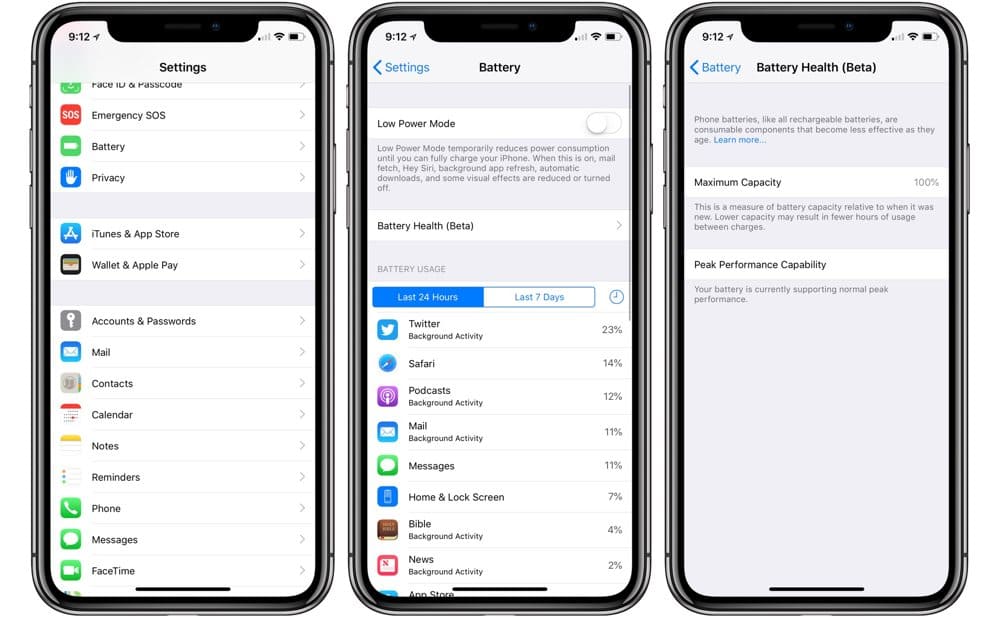
Knowing how to check battery health on any smartphone is the only way to avoid the nightmare of your phone dying right when you need to call a rider or check a map in the middle of Lagos traffic.
Battery issues don’t usually start with a loud bang.
It starts with small, annoying things. Your phone drops from 40% to 15% while you’re just replying to one WhatsApp message. Or it dies at 10% like it’s in a hurry to disappoint you. You ignore it once. Maybe twice. But eventually, you realize this isn’t just “one of those things”—your battery is tired.
Knowing how to check battery health on any smartphone saves you from guessing. It tells you exactly where you stand. Because a weak battery is like a tired runner—it can still move, but it won’t go the distance.
If you just want the fast answer, here is how to navigate to your settings immediately:
Go to Settings → Battery → Battery Health & Charging.
If you notice your battery health is already failing, you might want to see our curated list of the 10 Incredible Phones With the Best Battery Life in Nigeria Ultimate Guide) so you don’t stay stranded on the road.
Battery health isn’t about how much charge you have right now. It’s about how much “life” the battery has left compared to when it was brand new.
Every battery wears down; that’s just science. But when it wears down too far, your phone starts acting like it has a mind of its own.
Apple makes a battery health check very straightforward. You don’t need an engineer at Computer Village to tell you the truth.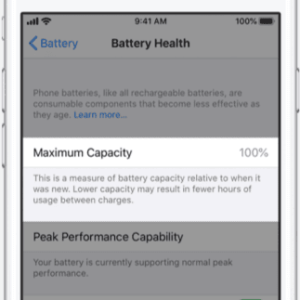
| Percentage Range | Battery Condition Status | What It Means for You |
|---|---|---|
| 90% – 100% | Excellent / Strong | Your phone performs at peak capability. |
| 80% – 89% | Moderate Wear | Still good, but you will notice slightly shorter battery life. |
| Below 80% | Degraded | Performance will drop; you are living on borrowed time. |
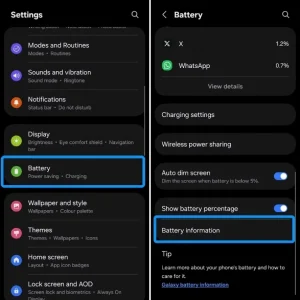
This is where things get a bit tricky. Because Android is used by so many different manufacturers (Samsung, Xiaomi, TECNO, Infinix), there isn’t one universal button. You have to run an Android battery health check using one of three methods
Go to:
Settings → Battery → Battery Information or Battery Usage (as seen on modern Samsung Galaxy or Google Pixel interfaces).
You won’t always see a percentage, but you can spot unusual drain patterns. You can review the Google Android Battery Help Documentation for extended configuration steps.
If you suspect you bought a modified device or want to be absolutely sure your device is legitimate, check out our guide on 7 Proven Ways to Check if an iPhone is Original in Nigeria (2026 Guide).
Open your phone’s dialer app
Dial: *#*#4636#*#*
If your phone supports it, a test menu will open with battery info.
(Not all Android phones allow this.)
If the code doesn’t work on your device, your best bet is downloading a dedicated tool from the Google Play Store.
AccuBattery: Measures actual scientific capacity based on real-time charging sessions. You can download it directly from the AccuBattery Google Play Store Page.
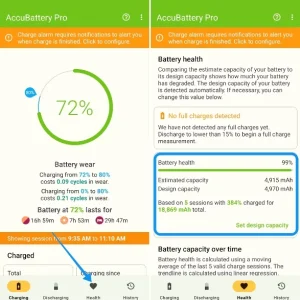
CPU-Z: Provides a quick “Good” or “Bad” health status under its battery tab.
Note: Apps like AccuBattery require a few days of normal usage and charging cycles to accurately calibrate and calculate your remaining battery capacity.
These give deeper insights like:
Sometimes you don’t need tools or settings menus. Your phone might already be yelling for help. Keep an eye out for these clear warning signs:
When you start spotting some of these signs, checking battery health is no longer optional — it’s confirmation.
If you are buying a second-hand phone, make sure you check our checklist on 7 Clear Signs a Used iPhone Has Been Opened Before (2026 Guide) to avoid buying a swollen battery trap.
There’s no perfect timing, but there is a clear boundary line. Once your phone stops being predictable, the battery has officially become a problem.
You should head to an authorized repair center if:
If replacing the battery isn’t an option and you need a whole new budget-friendly device instead, feel free to read our comprehensive comparison of the 10 Best Phones Under ₦200k in Nigeria (2026 Guide) – Top Value Picks.
Understanding how to check battery health on any smartphone is one of those small digital hygiene habits that saves you from massive real-world frustrations.
Don’t wait until your phone dies during an important call or a late-night ride home to find out your capacity is cooked, because battery problems don’t start loud.
They build slowly, then suddenly start affecting everything including calls, browsing, even basic use.
Check your diagnostics today so you can plan for a replacement or a phone upgrade entirely on your own terms.
A. No. It depends on physical battery wear.
A. Not significantly, but heat reduces lifespan over time.
A. Below 80% or when performance becomes unstable